Introducing Field Mode
The inspection workflow built for reserve study professionals.
Reserve study fieldwork has always created more work.
You capture everything on site - photos, notes, measurements—then spend hours back at the desk sorting, matching, and organizing what you already documented.
Field Mode changes that.
Every photo. Every note. Connected to the right component the moment you capture it. When you're back at the desk, the data is already organized and ready for your report.
Your Projects, At a Glance
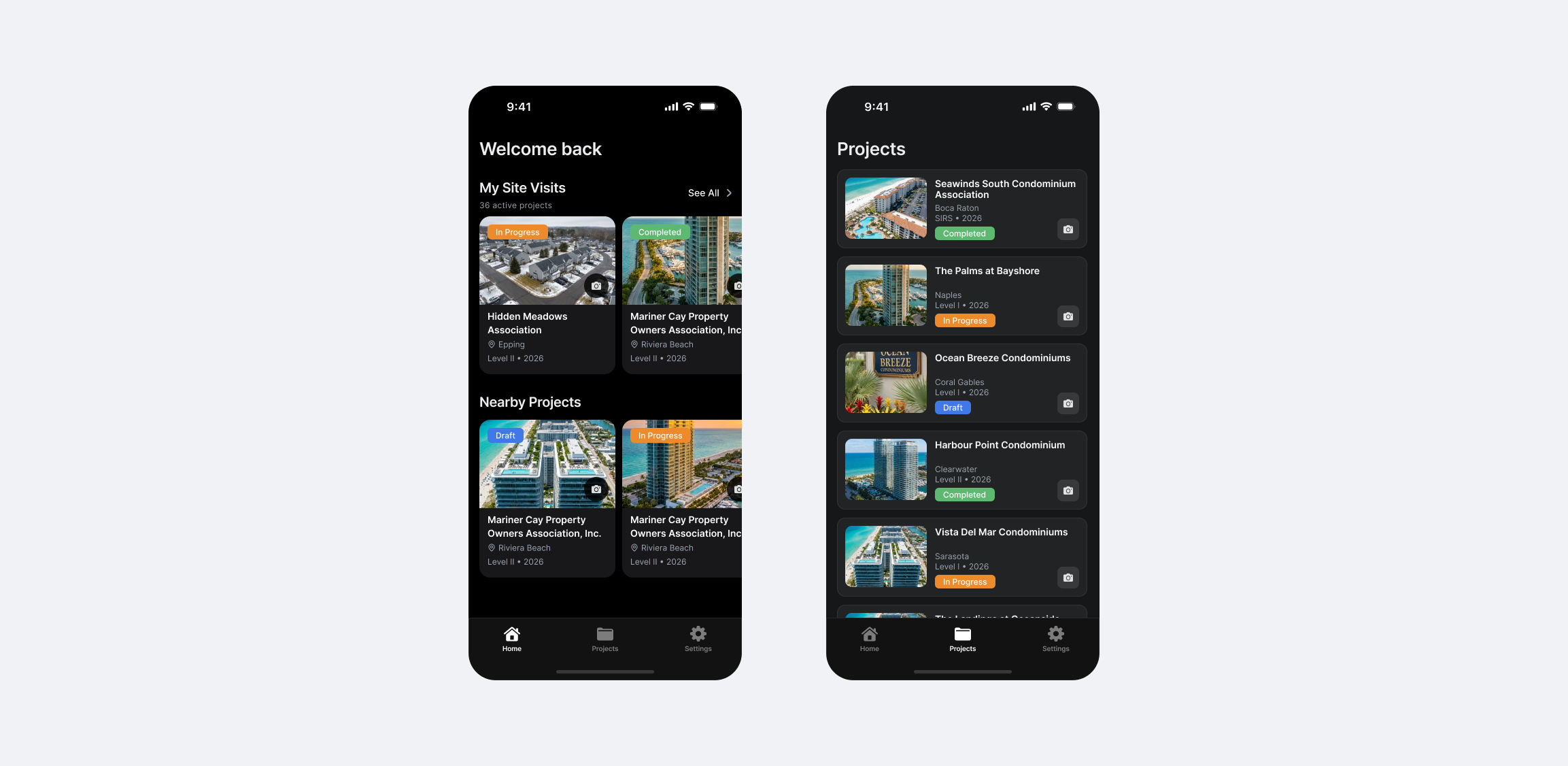
Open the Field Mode app and see exactly where you stand.
Your homescreen shows all upcoming site visits with status indicators—what's in progress, what's completed. If you're already near a property, the app surfaces projects within 50 miles of your current location.
Need the full picture?
The Projects tab gives you a complete list of every project, filterable by status and assignee. Find what you need and get moving.
Everything About the Project
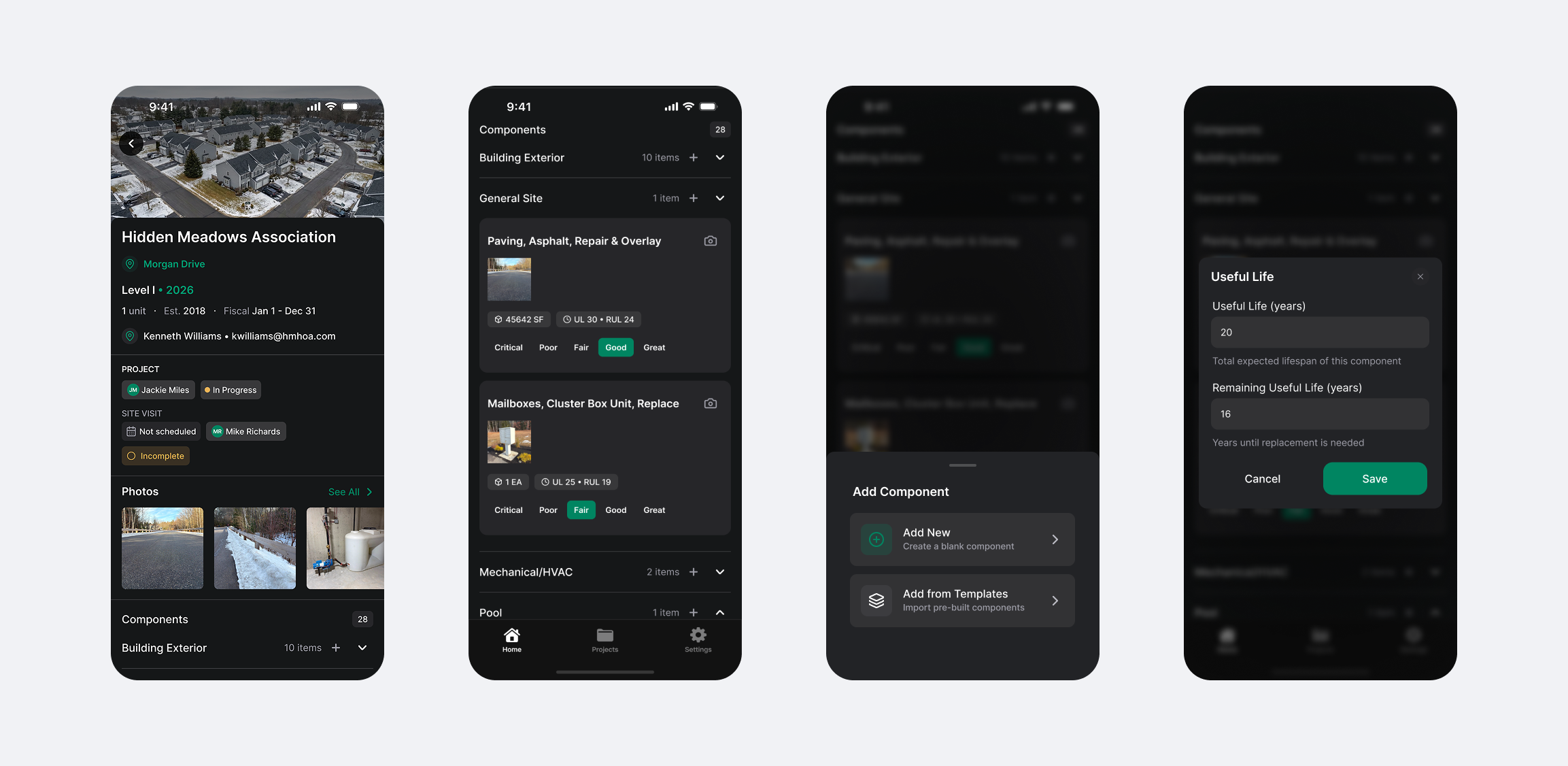
Tap into any project and everything is there.
Unit count. Construction date. Fiscal year. Contact person. You'll see who owns the project, its current status, when the site visit is scheduled, and who's completing the inspection.
Below that, the photo gallery shows every image captured for this property. And beneath that, all components - grouped by area.
Expand any group (Common Area Interiors, Mechanical, Pool) to see every component inside: name, photos, dimensions, useful life, remaining useful life, and condition.
Need to add a component? Create one from scratch or pull from your template library—your pre-built components, ready to insert.
Component-Level Control
Dive into any component and see the full picture.
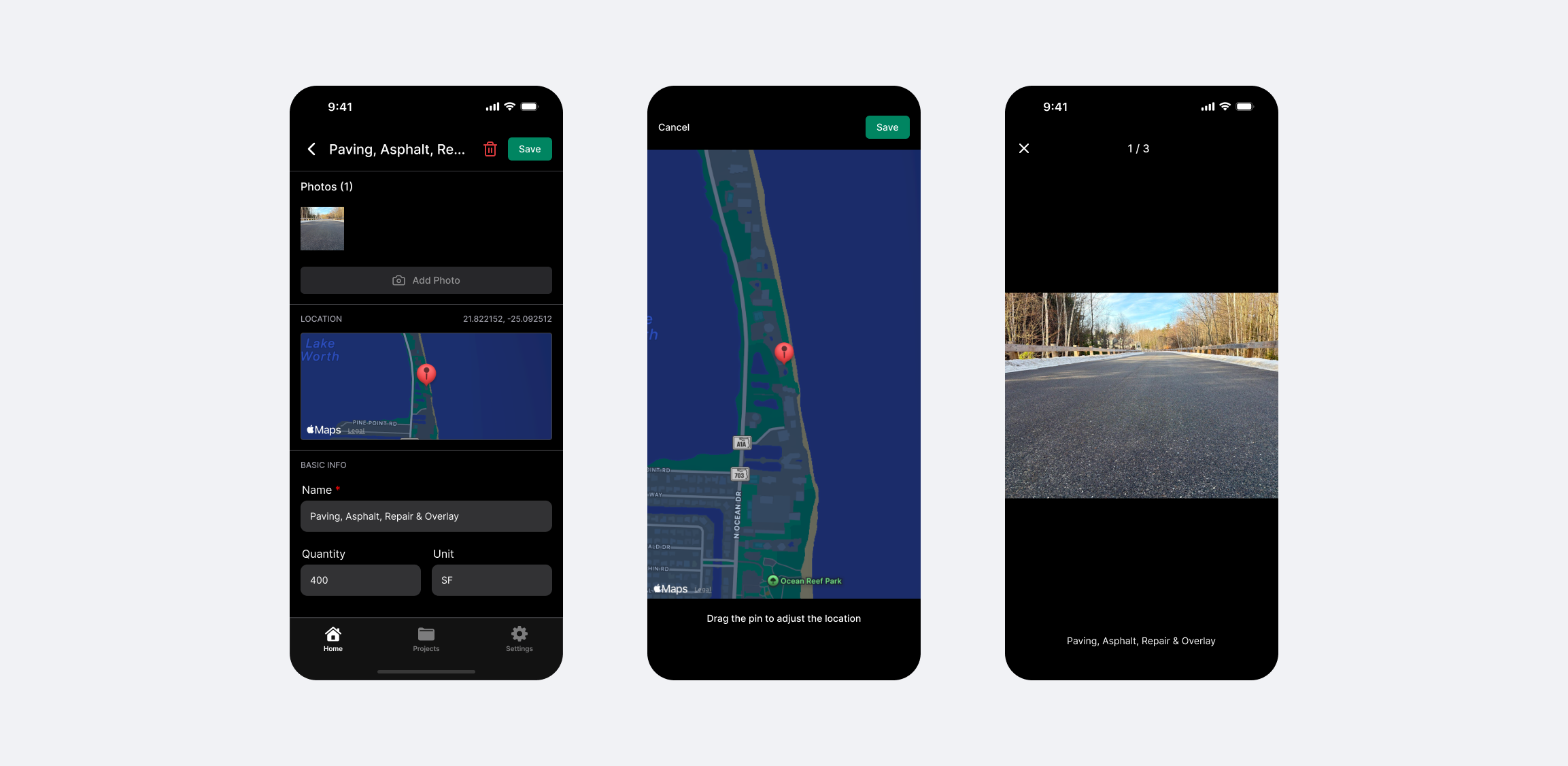
Photos you've captured. A map showing exactly where you were when you took them—automatically generated from your phone's geolocation.
No more guessing which roof section that image belongs to.
All the details are editable right here: name, quantity, unit, unit cost, total cost, useful life, remaining useful life. Update what you need, save, and move on.
Capture Your Way
When you're ready to document, Field Mode adapts to how you work.
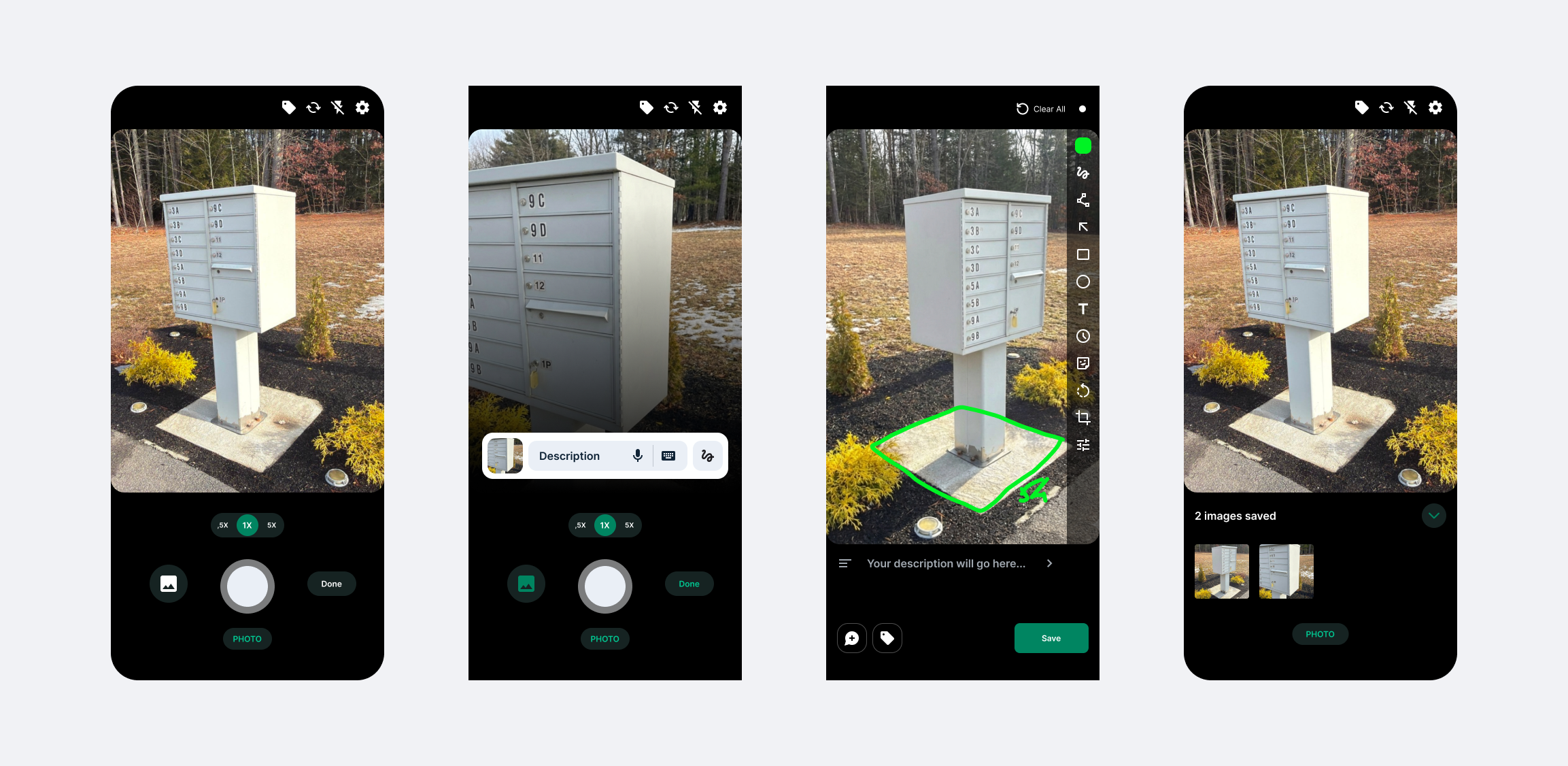
Point. Shoot. Then choose how to add context:
Type it. Open the keyboard and write your description.
Say it. Record a voice note—Field Mode transcribes it automatically using AI and saves both the audio and the text.
Sketch it. Draw directly on the image. Mark measurements, circle problem areas, add arrows. The tools are there when you need them.
Every capture links to the component you're inspecting. No sorting later. No mystery photos. Just organized data, ready for your report.
See It Live
We're demoing Field Mode at two upcoming conferences:
- Palm Beach Condo & HOA Expo - February 10th
- Tampa Bay Condo & HOA Expo - February 12th
Stop by and see it in action.
Field Mode will be available to download from the App Store and Google Play Store by the end of February.
This is just Day 1
Field Mode is the first announcement of our launch week. Over the next six days, we'll be introducing Portfolio Analytics, Automated RFPs, Report Changes, and a completely reimagined interface with 20+ workflow improvements.
The new standard for reserve studies starts now.
See how fast your team can produce a report in PropFusion
We’ll walk through templates, QA steps, and publishing - end to end.