Full Report Customization, State Compliance Built In
The report builder you've been waiting for, plus automated CA & WA state disclosures.
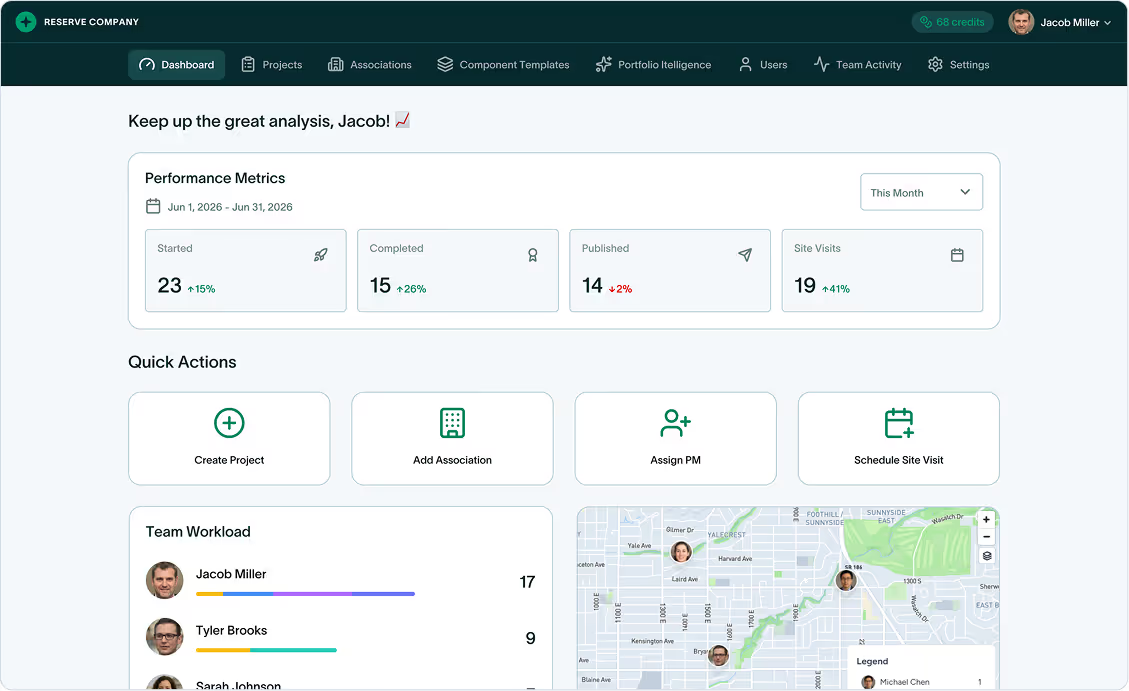
On Day 1, we introduced Field Mode - capturing data on-site with every photo connected to its component. On Day 2, we showed you the redesigned Dashboard and Project Builder where that data lives.
Today, we're showing you where it all comes together: the Report Builder.
PropFusion 2.0 completely overhauls how you create reserve study reports. You now have full control over layout, visual design, and section content—plus automatic compliance with California and Washington state disclosure requirements.
Let's walk through everything.
Report Layout: Build Your Report Structure
The new Report Layout screen is your starting point for every report.
Here you'll see all available report sections—14 in total—each with a toggle to include or exclude. Drag sections to reorder them. The structure you create becomes the structure of your final PDF.
Available sections include:
- Cover Page
- Letter to the Reader
- Executive Summary
- Five Year Outlook
- Preface
- Component List
- Anticipated Expenditure
- Reserve Expenses Summary
- Funding Summary
- Funding Models
- Reserve Component Inventory
- And more
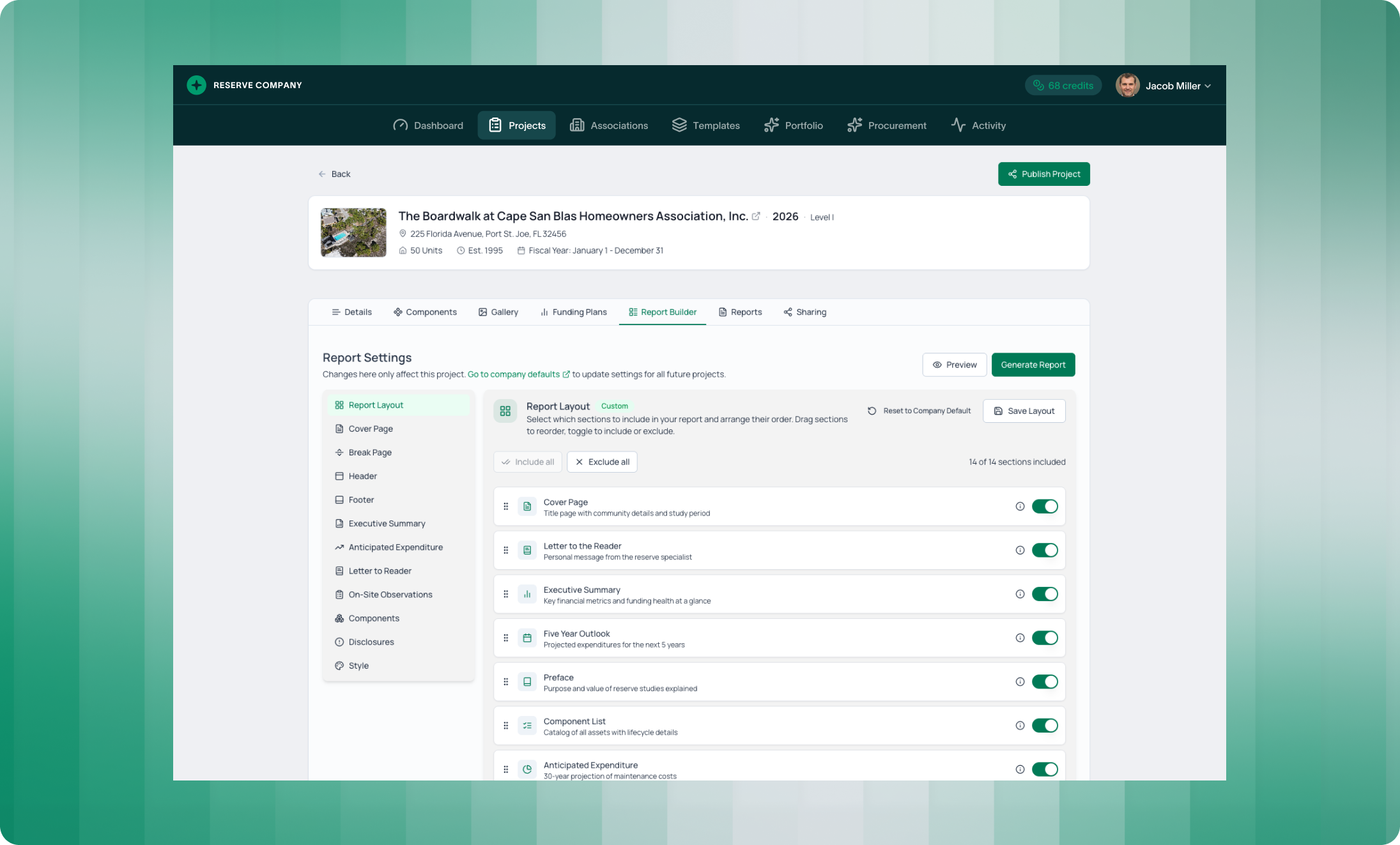
The best part? You can save your layout as a company default. Set it once, and every future report starts with your preferred structure. No more rebuilding from scratch.
Visual Design: Make It Yours
Reserve studies are professional documents. They should look professional—and they should look like they came from your firm.
PropFusion 2.0 gives you granular control over visual design across multiple areas.
Cover Page
Choose from 5 design templates:
- Classic - Traditional professional layout with centered content
- White - Clean minimal design with white background
- Reverse - Inverted color scheme for a modern look
- Split Box - Two-tone design with boxed content area
- Image Top - Hero image at top with content below
You can also define the cover image. Use the association image you've already uploaded, or add a custom image specific to this report.
Break Pages
Section breaks set the visual rhythm of your report. Choose from 5 break page designs:
- Classic - Simple centered section title
- White Stripe - Title on white stripe overlay
- Overlay Box - Title in floating box with subtle background
- Header Accent - Bold header bar with accent color
- Diagonal - Dynamic diagonal split design
Typography & Colors
The Style section gives you complete control over fonts and colors.
Choose from 6 font families for your report text. Set your cover color (primary color for report covers) and accent color (highlights and decorative elements).
For charts, select from 6 predefined color palettes - Default, Ocean, Forest, Sunset, Corporate, Earth—or build your own custom palette from scratch.
Every choice updates in the live preview, so you see exactly how your report will look before generating.
Section Customization: Control the Details
Beyond layout and design, you can customize what appears inside key sections.
Executive Summary
The Executive Summary includes a map image showing the association's location. This generates automatically from the address you've entered—but you can upload a custom image if you prefer a different view or a site-specific aerial photo.
Anticipated Expenditure
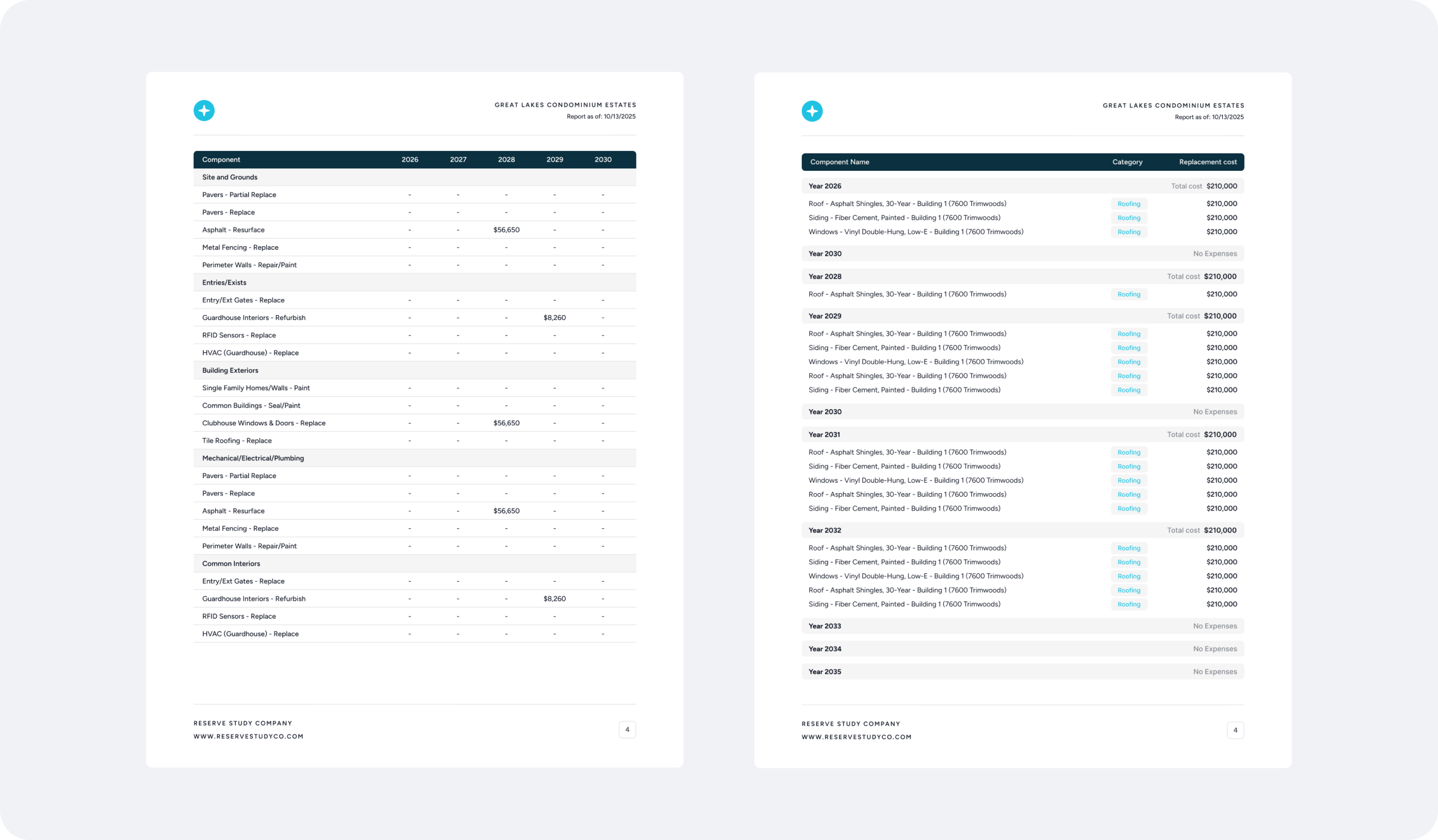
This section displays your 30-year projection data. Choose how to present it:
- Year-by-Year List - Expenses organized by year with component details under each heading
- 30-Year Table - Matrix view with components as rows and years as columns
- Both Views - Include both formats in your report
Different boards prefer different formats. Now you can match their preference without manual reformatting.
Letter to the Reader
This section appears at the beginning of your report, setting the tone for readers. It's your personal message to the board.
PropFusion generates a professional default letter, but you can customize every word. You can also upload your professional credentials - CAI-RS, PRA, APRA badges, or company stamps - to display alongside your message.
On-Site Observations
This section describes your field observation methodology. It appears just before the detailed component inventory, giving context to how you gathered the data.
A professional default is provided, but you have full flexibility to customize the text to match your firm's specific approach.
Component Cards
The Reserve Component Inventory shows individual component cards with photos and details. You can now customize what appears on each card:
- Include Condition - Show or hide the condition badge (Critical/Poor/Fair/Good/Excellent)
- Replacement Timeline - Show or hide projected replacement years
Toggle these based on what your clients need to see.
California & Washington Disclosures: Compliance Built In
Here's where PropFusion 2.0 solves a real headache for reserve professionals.
California and Washington have specific legal disclosure requirements for reserve studies. Tracking these requirements, ensuring you've included the right language, and updating when regulations change - it's tedious work that adds risk if you get it wrong.
PropFusion now handles this automatically.
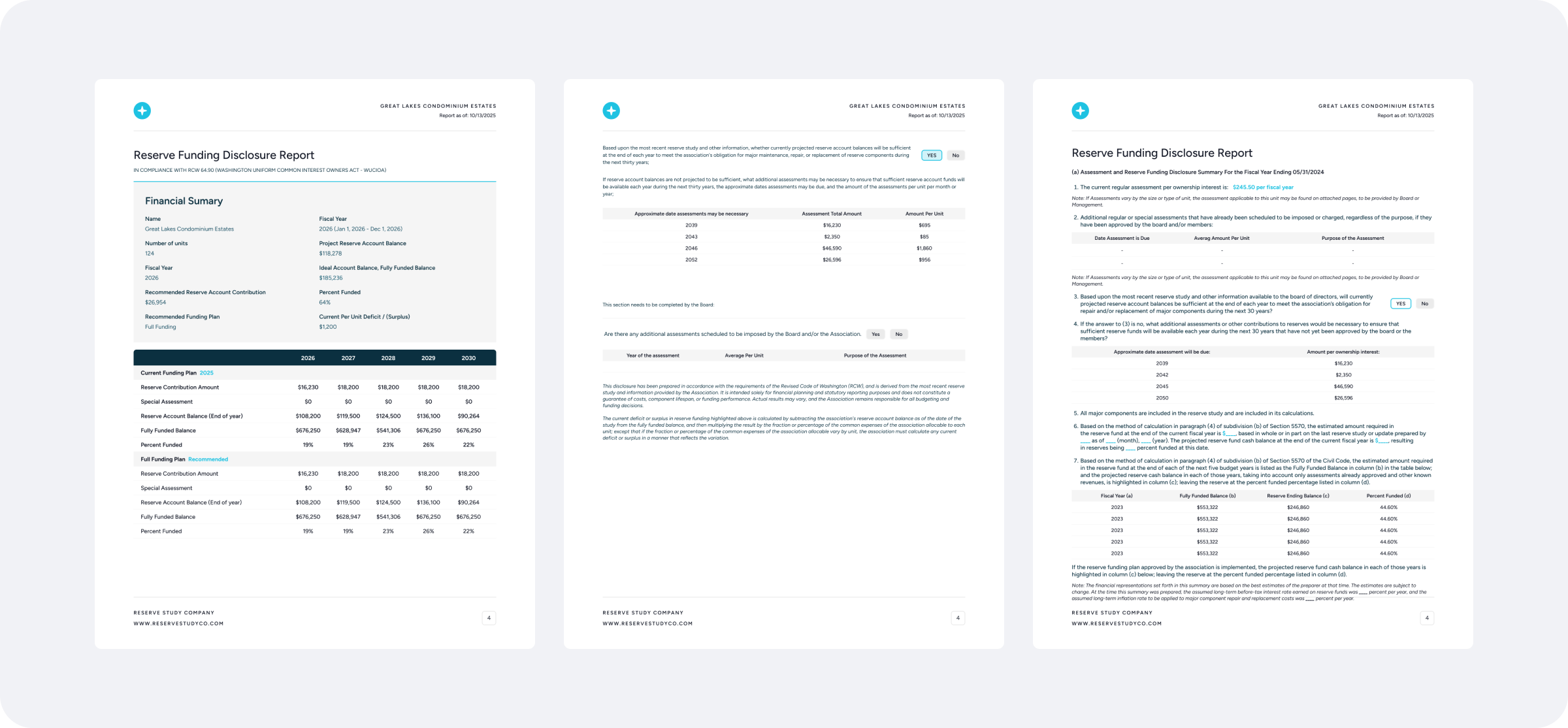
When you generate a report for a California or Washington association, PropFusion automatically includes the required state-specific disclosures. The language is maintained by our team to reflect current regulations, so you don't have to track legislative changes yourself.
The Disclosures section in Report Settings shows you exactly what will be included. Your report will contain the standard disclosure section, with state-specific options automatically applied based on the association's location.
This is compliance without the busywork.
Company Defaults: Set Once, Use Forever
A theme across all these customization options: you can save your choices as company defaults.
Report layout, cover page style, header design, typography, colors, section settings—configure them once in your company settings, and every new report inherits your preferences.
Individual projects can still override defaults when needed. But for most reports, you'll generate a professionally designed, properly structured document without touching settings at all.
What This Means for Your Firm
Brand consistency. Every report looks like it came from your firm - same fonts, same colors, same professional structure.
Faster turnaround. With company defaults, report generation requires fewer decisions. Your preferred setup is already in place.
Flexibility when you need it. Override any setting for specific clients or projects without affecting your defaults.
Built-in compliance. California and Washington disclosures are handled automatically. No manual tracking. No risk of outdated language.
Professional presentation. Multiple design options mean your reports stand out—not because they're flashy, but because they're polished.
This Is Day 3
Tomorrow, we're continuing with more PropFusion 2.0 features. Stay tuned.
The new standard for reserve studies continues.
See how fast your team can produce a report in PropFusion
We’ll walk through templates, QA steps, and publishing - end to end.