Dashboard, Components & Funding Plans
A Cleaner Dashboard, Smarter Components, and Flexible Funding Plans
Yesterday we introduced Field Mode—the inspection workflow that connects every photo and note to the right component the moment you capture it.
Today, we're showing you where all that data goes.
PropFusion 2.0 brings significant updates to both your Dashboard and Project Builder. We've reorganized how you see your business at a glance, added new ways to manage components and their details, introduced a dedicated image gallery, and completely rethought how you create and compare funding plans.
Let's walk through everything.
Your Dashboard: Business Clarity at a Glance
When you log into PropFusion 2.0, you'll notice immediate changes to your Dashboard.
Recent Projects
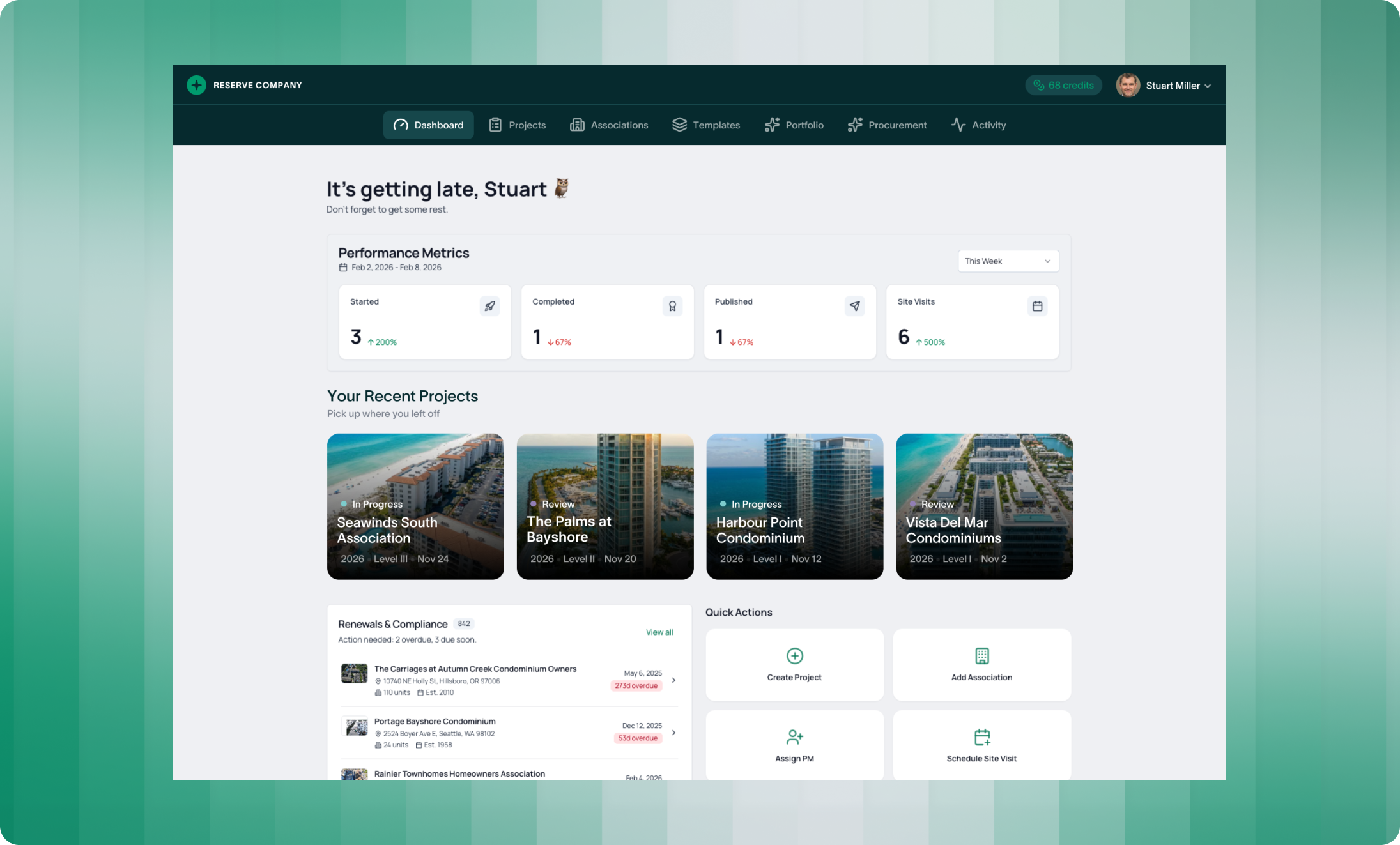
The new Recent Projects section puts your team's active work front and center. Quickly see which projects have been touched recently, who's working on what, and jump directly into any study without hunting through lists.
This view is especially useful for firms managing multiple analysts. At a glance, you know where attention is focused—and where it might be needed.
Renewals & Compliance
Every reserve professional knows the challenge of tracking renewal dates. Which associations are coming due? Which ones need outreach?
The new Renewals & Compliance section answers these questions automatically. All associations due for renewal appear in one place, organized by timeline. No more spreadsheets. No more calendar reminders. Your upcoming work surfaces itself.
Everything Else - Refined
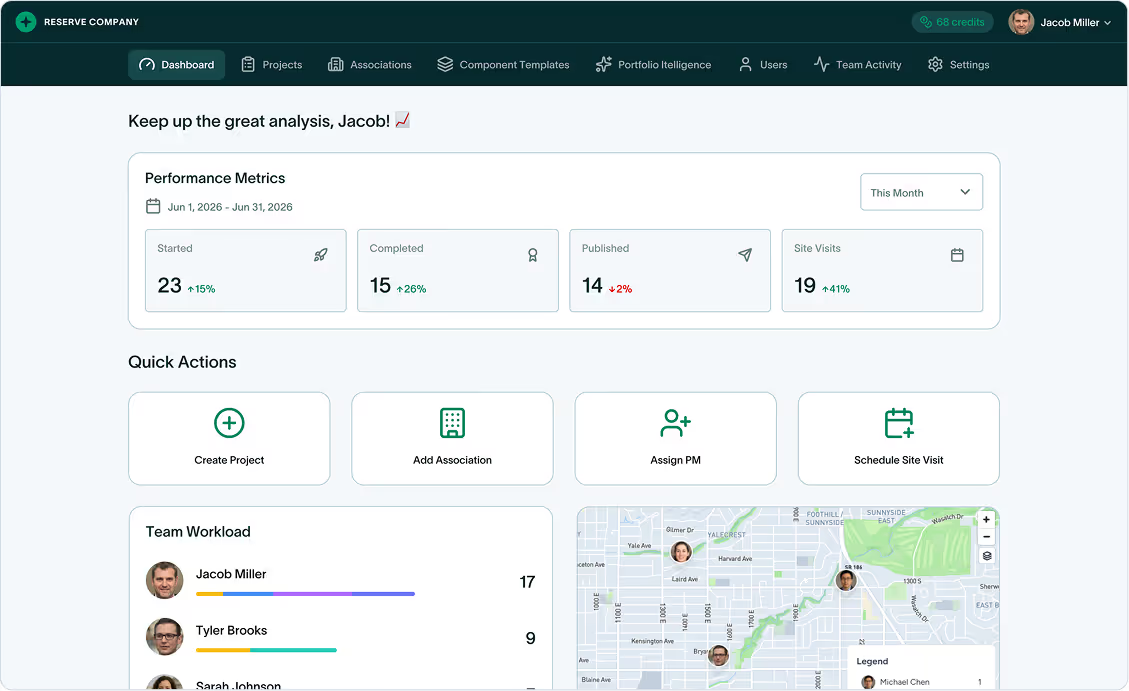
Team workload, team activity, and site visit management remain on your dashboard, but with a cleaner design. The data you need at a glance is still there—just better organized.
Project Builder: More Control, Better Organization
Once you enter a project, the real changes become clear.
New Details Screen
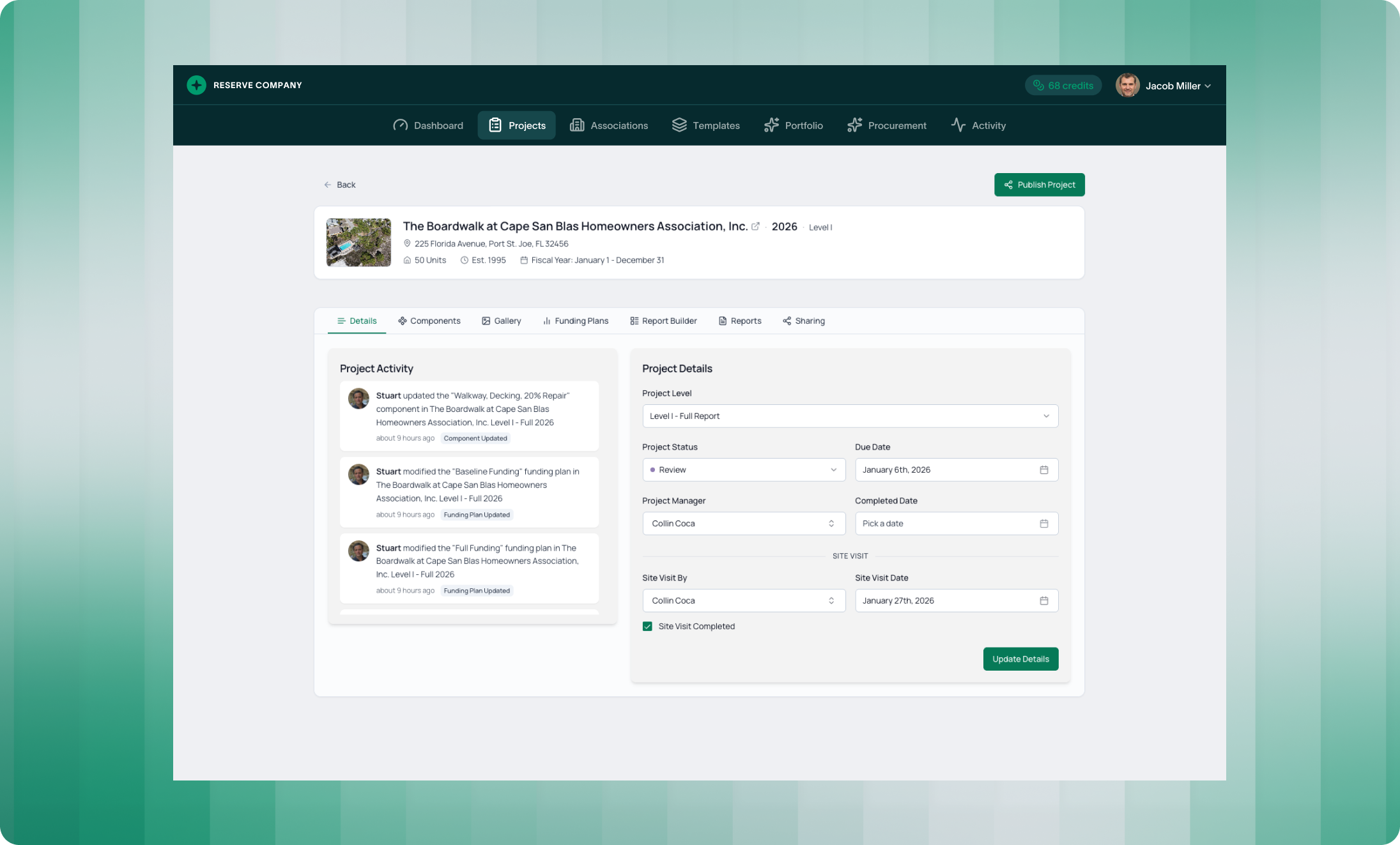
The project details screen has been redesigned for faster access to the information that matters. Update project parameters quickly, and see recent activity by team member—so you always know who touched what and when.
This is particularly useful for teams. When you pick up a project your colleague started, you can see exactly what's been done and what's outstanding.
Component Management - Reimagined
Components are the heart of every reserve study. 2.0 gives you more control over how you document and organize them.
Excluded Components
Not every component belongs in the reserve study. Some fall under the operating budget. Others are long-lived assets that won't need replacement within the study period. Some are the owner's responsibility.
Previously, tracking these exclusions was inconsistent. Now, you can add excluded components directly and group them by category:
- Operating Budget
- Long-Lived
- Owner's Responsibility
This creates a complete picture of what you assessed—and a clear audit trail for why certain items aren't funded.
Condition Assessment and Location
The new component details view lets you assess condition with more precision. Rate each component's condition and add internal notes that stay private to your team.
And here's where Field Mode connects: every component can now have an exact location pinned on the site map. If you're using Field Mode, this location (along with component images) populates automatically based on where you captured the data. But you can always adjust the pin manually for 100% precision.
This location data isn't just for your records—it adds context to your reports and makes future site visits more efficient.
Image Gallery: All Your Component Photos, Organized
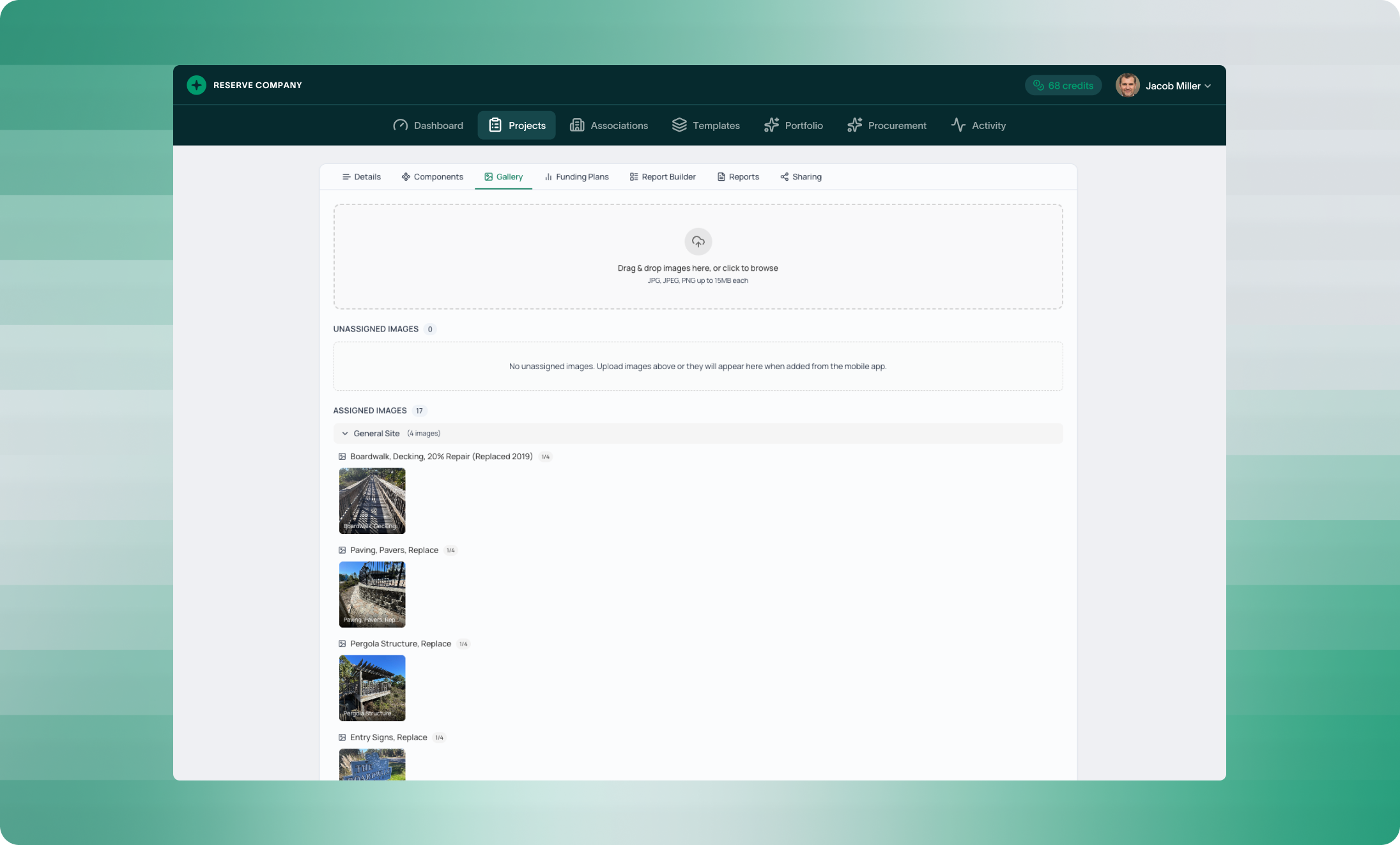
2.0 introduces a dedicated Gallery tab within each project.
All component images appear here in one view. If you're using Field Mode, images are automatically assigned to the components they were captured with. If you're uploading from your computer, you can drag and drop images and assign them to specific components afterward.
Unassigned images appear in a separate section—so nothing gets lost, and cleanup is straightforward.
This gallery view makes it easy to:
- Review all documentation before generating a report
- Spot gaps in your photo coverage
- Reassign images if needed
- Share visual context with your team
Funding Plans: Flexibility Where It Matters
Funding plans are where analysis becomes recommendation. 2.0 makes this process more flexible and more transparent.
Build multiple scenarios, compare them side by side, and select the one you'll recommend. The comparison graph at the top visualizes reserve contribution, reserve balance, percentage funded, and expenses across all your plans.
Special Assessments
Some projections require special assessments to stay viable. V2 calculates and displays these automatically for each funding plan, showing exactly when a one-time assessment would be needed to maintain the reserve at target levels.
Variance From Current
When you create or modify a funding plan, you'll see real-time variance from the association's current plan. This includes:
- Reserve Balance
- Contribution
- Annual Increase
- Inflation Rate
- Interest Rate
Company Defaults
You're also able to set default funding plan parameters at the company level, so every new project starts with your preferred settings. We'll cover this in a future announcement.
What This Means for Your Firm
These updates share a common thread: less time navigating, more time analyzing.
Dashboard clarity means you always know what needs attention - renewals, team workload, recent activity - without digging.
Component precision means better documentation, clearer audit trails, and reports that reflect exactly what you assessed and why.
Gallery organization means no more hunting for photos or wondering which image belongs where.
Funding flexibility means you can model scenarios quickly, compare options confidently, and present recommendations with transparency.
Every improvement connects back to the core goal: delivering better reserve studies, faster.
This Is Day 2
Tomorrow, we're introducing major updates to Report Customization, including new sections and full California & Washington disclosure compliance.
See how fast your team can produce a report in PropFusion
We’ll walk through templates, QA steps, and publishing - end to end.